

Integrating BambooHR with Hiroo is quick and easy. If you are using BambooHR’s HRIS module, you can automatically add a candidate you’ve hired in Hiroo as a new employee in BambooHR.
Follow the steps below to complete the integration.
Step 1: Create an API Key in BambooHR
1.Log in to your BambooHR account.
2.Click your profile icon in the bottom-left corner and select My Account.
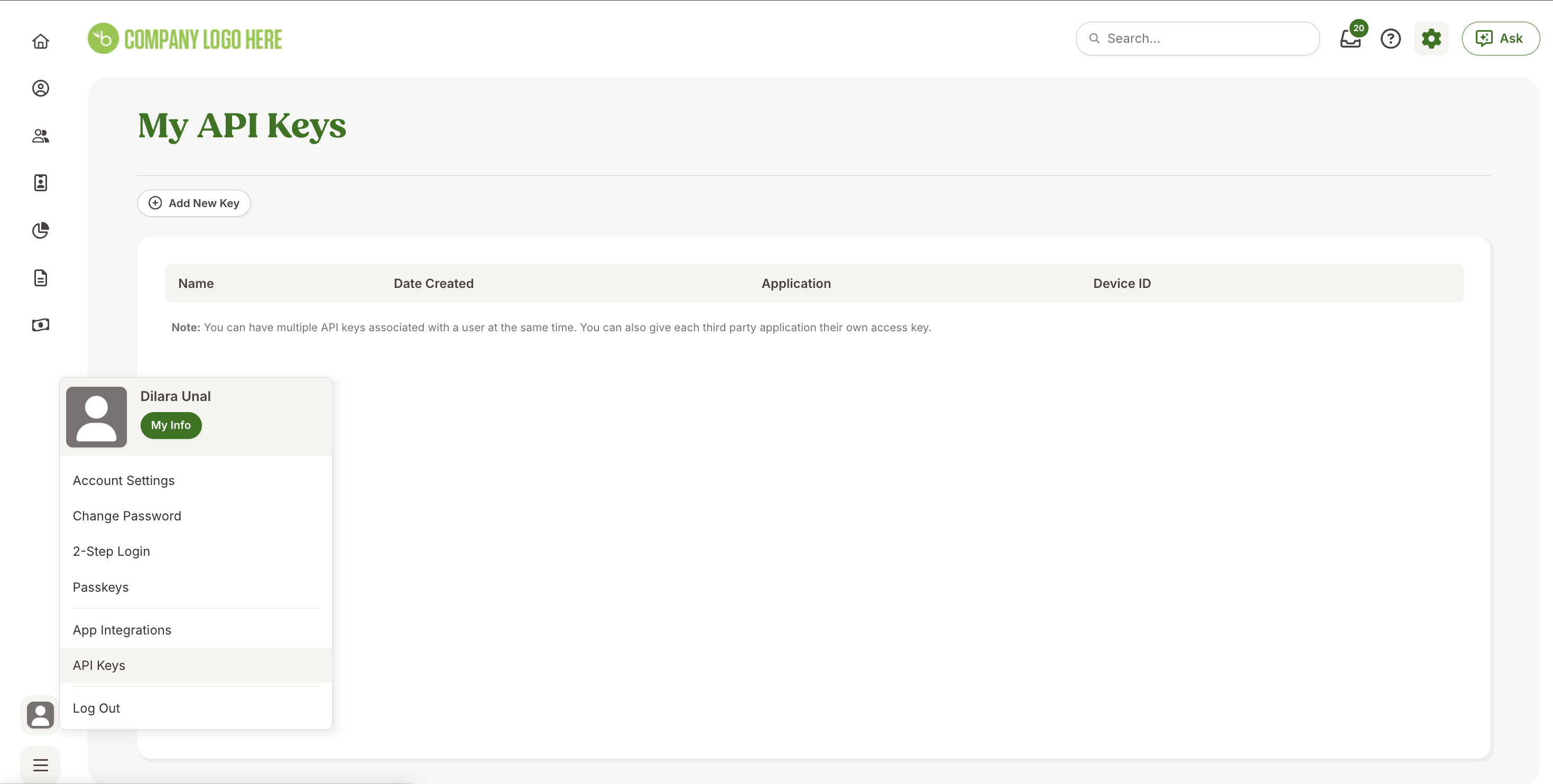
3.Navigate to the API Keys section.
4.Click + Add New API Key.
5.Enter Hiroo as the API Key Name.
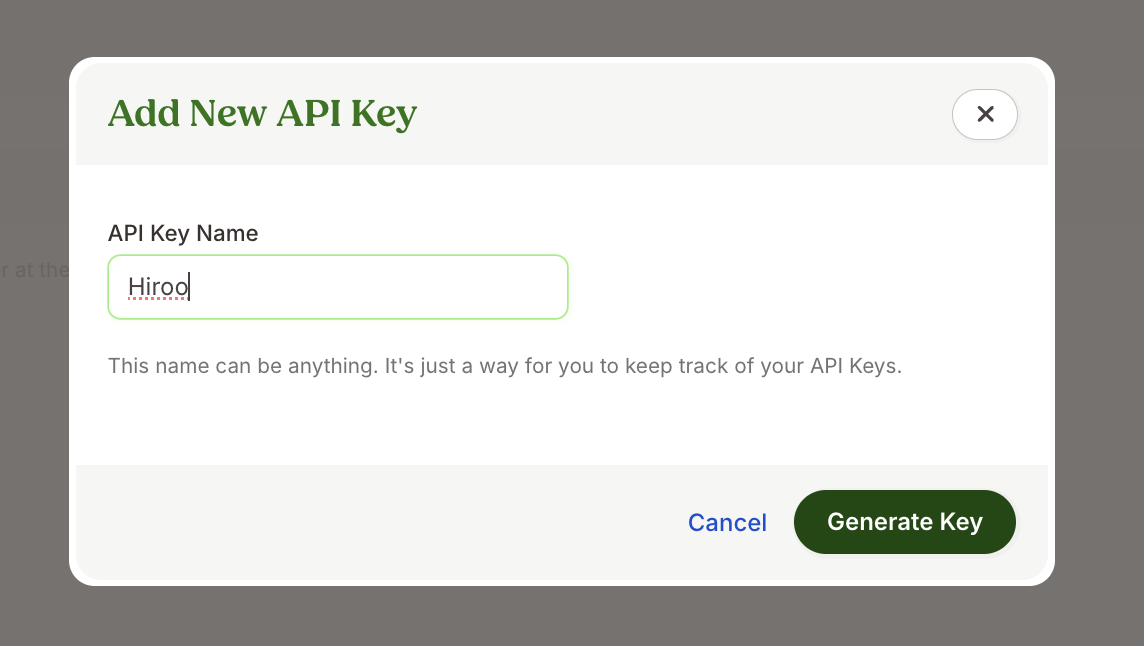
6.Click Generate Key.
7.Copy the generated API key and save it somewhere safe.
Step 2: Copy Your BambooHR Domain
You will also need your BambooHR domain.
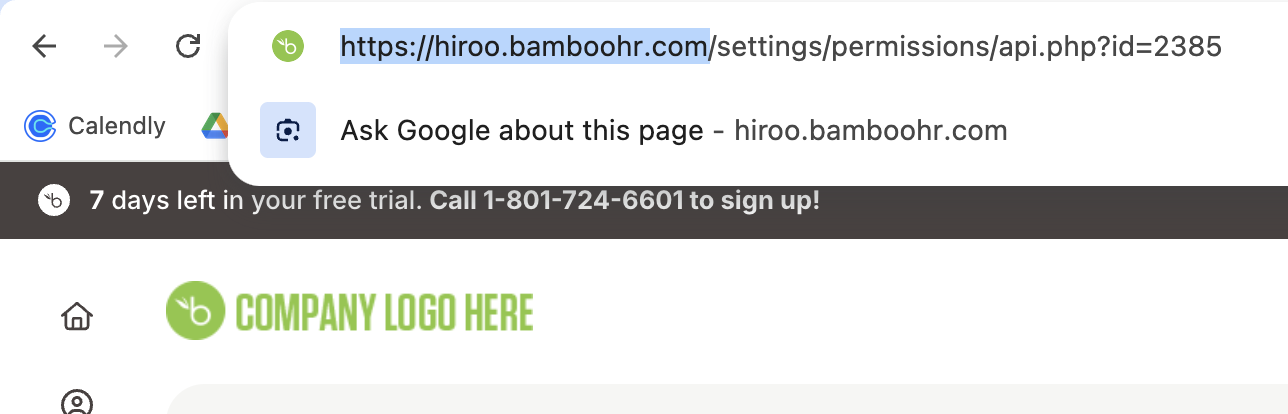
Your domain looks like this:
https://yourdomain.bamboohr.com
You can find it directly in your browser’s address bar. Copy and save this domain.
Step 3: Connect BambooHR in Hiroo
1.Log in to Hiroo.
2.Go to Settings and open the Integrations section.
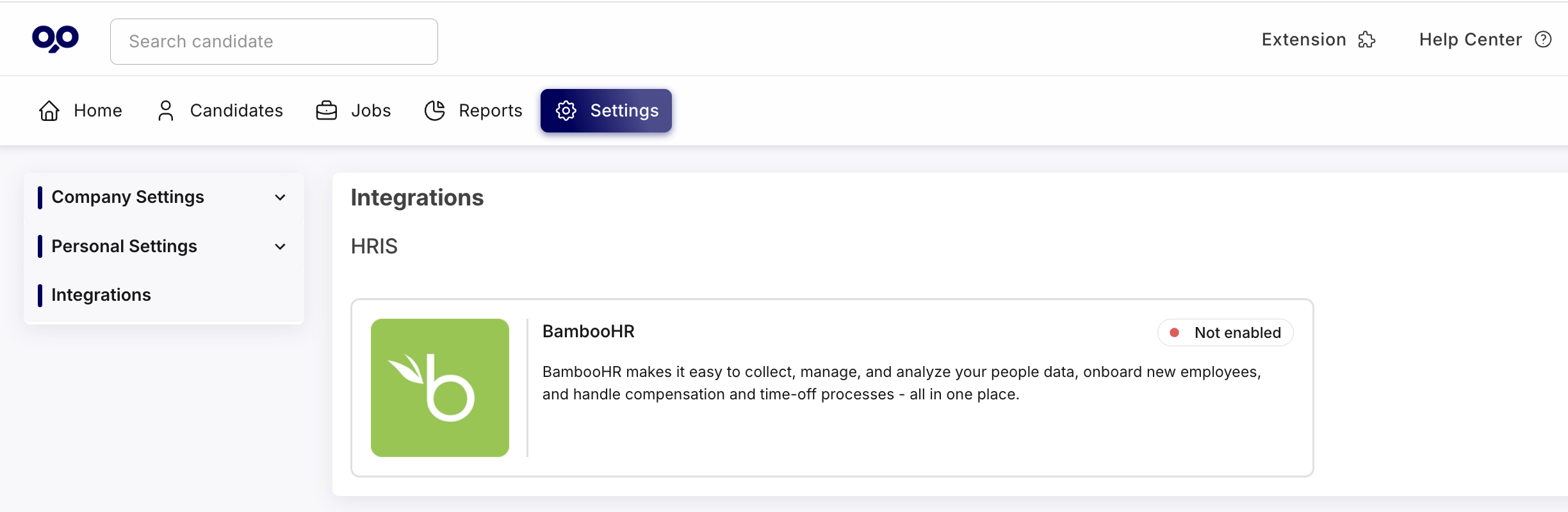
3.Select BambooHR.
4.Click Enable BambooHR.
5.Paste the API Key and Domain you copied earlier into the relevant fields.
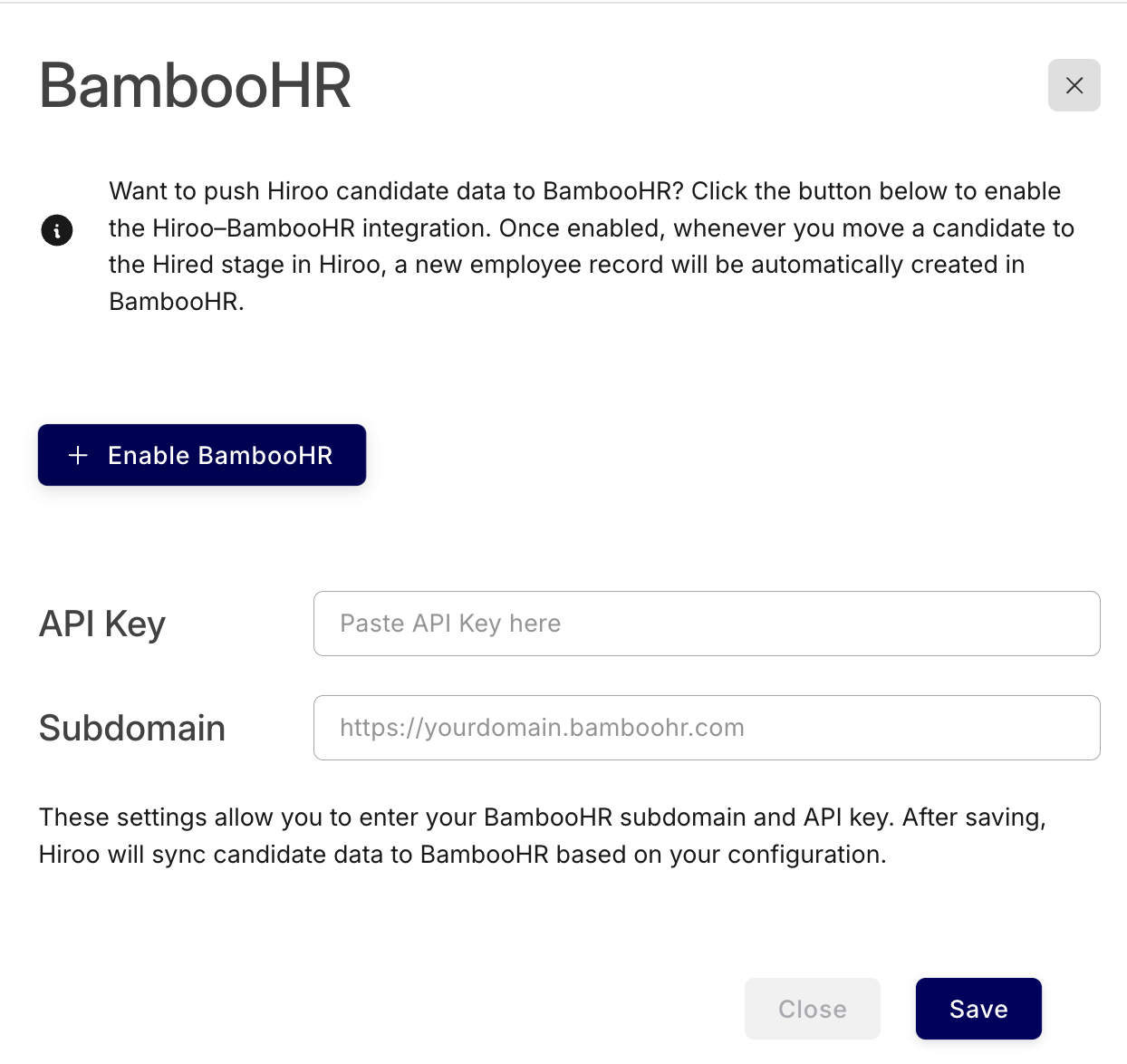
6.Click Save.
What Happens Next?
Once the integration is enabled, any candidate you mark as Hired in Hiroo will be automatically created as a new employee in your BambooHR account.